 Image 1 of 3
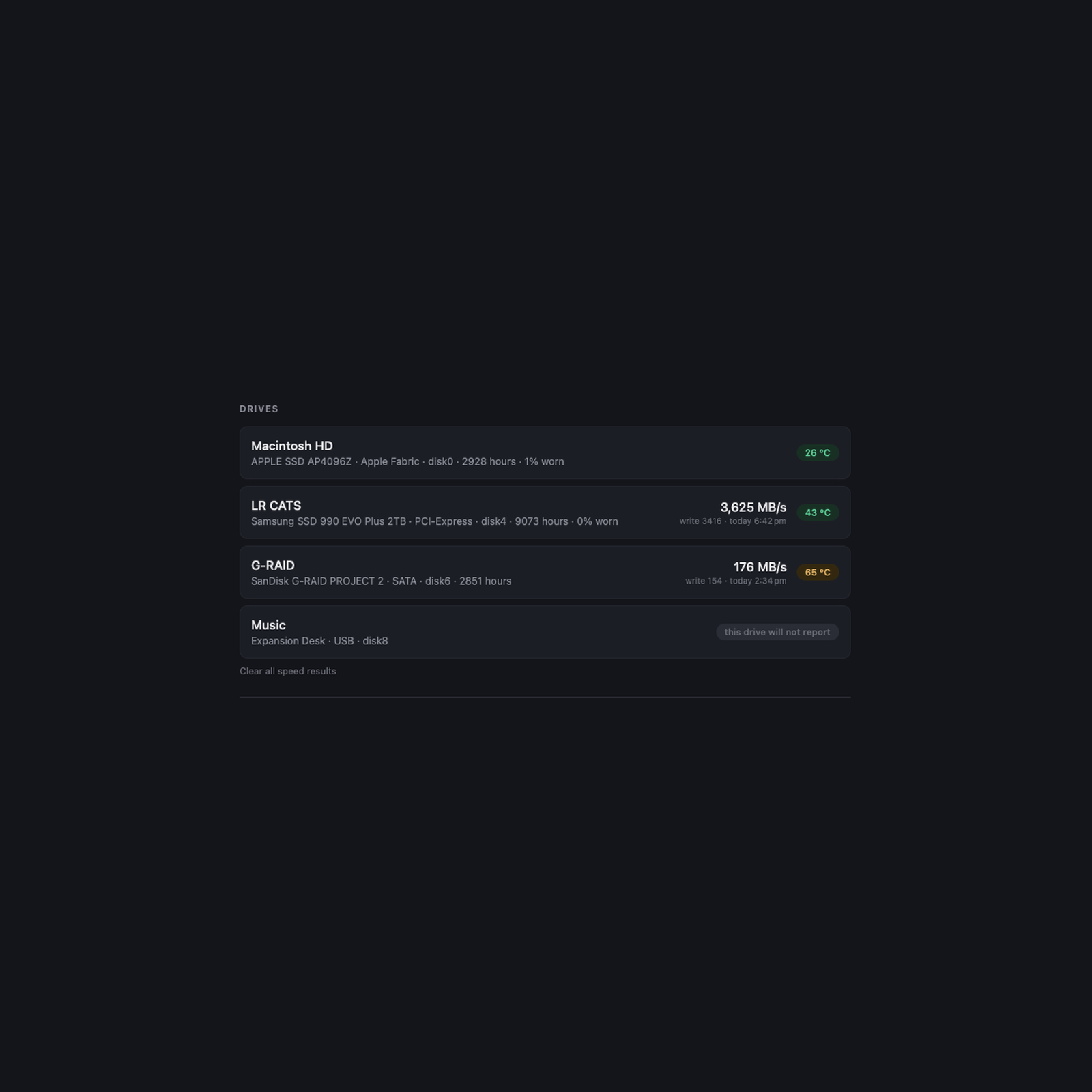 Image 2 of 3
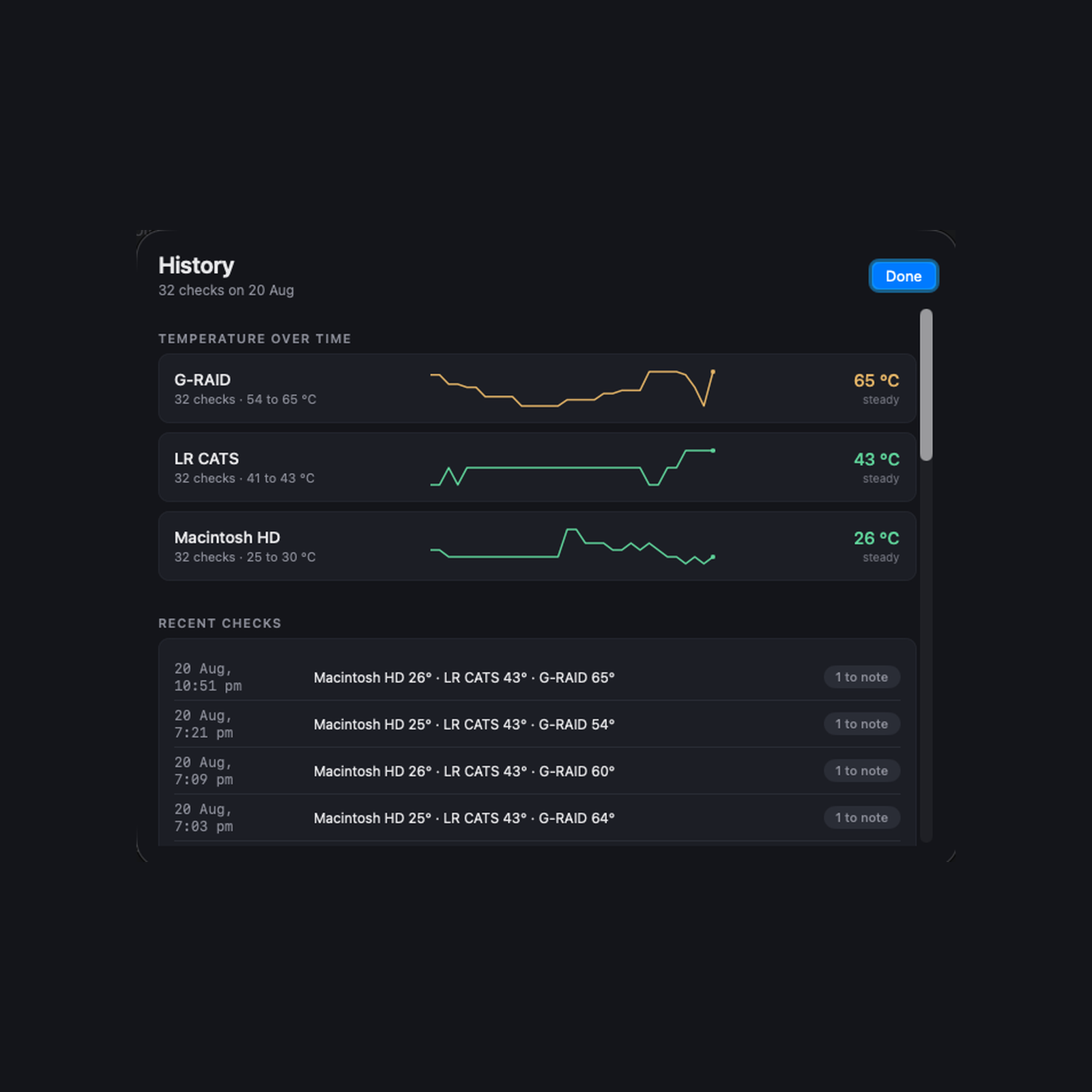 Image 3 of 3
See what your ports, cables and drives are actually doing.
A cable can say 40 Gb/s, negotiate 20, and deliver 3. So can a dock, and so can the socket you plugged it into. They look identical from the outside, and macOS will not tell you which one you are living with.
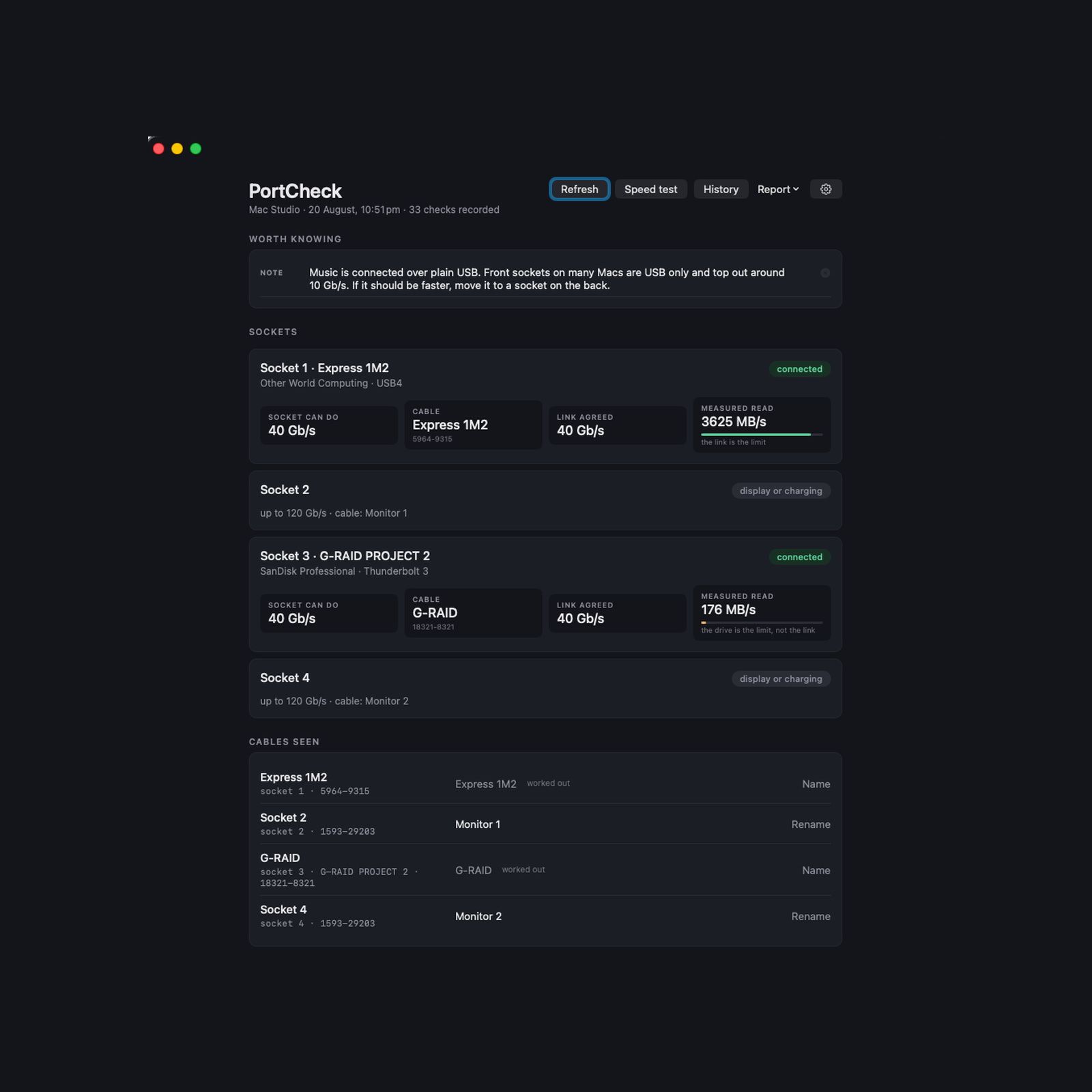
PortCheck keeps four different facts apart, because they usually get sold to you as one number: what the socket can do, which cable is in it, what link the two of them agreed, and what actually moves through it.
WHAT IT DOES
Reads the chip inside your cable, so two identical cables are told apart by the socket they are in.
Measures real sustained throughput, with the disk cache stepped around, not a burst figure.
Says plainly whether the link or the drive is the bottleneck.
Reports drive temperature, wear, hours in service, error counts and health.
Keeps a history, so a drive slowly running hotter shows itself before it strands you.
One click to copy a plain text report for a producer, a client or a manufacturer.
REQUIREMENTS
Mac with Apple Silicon, running macOS 13 Ventura or later.
Drive temperature and wear need smartmontools, a free open source helper. PortCheck cannot include it because its licence does not allow inclusion in paid software. The app gives you the one command to install it. Everything else works without it.
Nothing leaves your Mac. No account, no telemetry, no licence check that phones home. PortCheck makes no network connections of any kind.
One payment. Free updates within version 1.
See what your ports, cables and drives are actually doing.
A cable can say 40 Gb/s, negotiate 20, and deliver 3. So can a dock, and so can the socket you plugged it into. They look identical from the outside, and macOS will not tell you which one you are living with.
PortCheck keeps four different facts apart, because they usually get sold to you as one number: what the socket can do, which cable is in it, what link the two of them agreed, and what actually moves through it.
WHAT IT DOES
Reads the chip inside your cable, so two identical cables are told apart by the socket they are in.
Measures real sustained throughput, with the disk cache stepped around, not a burst figure.
Says plainly whether the link or the drive is the bottleneck.
Reports drive temperature, wear, hours in service, error counts and health.
Keeps a history, so a drive slowly running hotter shows itself before it strands you.
One click to copy a plain text report for a producer, a client or a manufacturer.
REQUIREMENTS
Mac with Apple Silicon, running macOS 13 Ventura or later.
Drive temperature and wear need smartmontools, a free open source helper. PortCheck cannot include it because its licence does not allow inclusion in paid software. The app gives you the one command to install it. Everything else works without it.
Nothing leaves your Mac. No account, no telemetry, no licence check that phones home. PortCheck makes no network connections of any kind.
One payment. Free updates within version 1.
Northern Ireland's dedicated photography education studio. Expert led workshops, one to one tuition, and corporate training, taught by working professionals.